

Download Phone Case DIY – Phone Case Designer, Customize, Create
Overview
Phone Case DIY is a mobile application that transforms users into creative smartphone case designers, offering a unique blend of crafting and simulation gameplay. Designed for players who enjoy creative expression and puzzle-like challenges, the app allows individuals to satisfy customer requests by designing custom phone cases through a series of interactive tasks. The core purpose of the app is to engage users in a hands-on design experience where they apply materials, colors, and patterns to produce visually appealing cases. It serves as a digital workshop where creativity meets problem-solving, making it ideal for casual gamers, teens, and hobbyists interested in design and personalization.
By simulating real-world crafting techniques such as glue application, painting, and material layering, Phone Case DIY provides a satisfying and immersive experience. The game is structured around levels, each presenting a new customer order with specific requirements, encouraging users to balance aesthetic appeal with efficiency. This approach fosters both creativity and strategic thinking, making it suitable for a broad audience, including younger users and those seeking a relaxing, non-competitive pastime.
The developer, GameLoop, is known for supporting mobile games with PC compatibility through its emulator platform. While the developer’s broader background was not detailed in the provided information, their focus on accessible gaming experiences is evident in the app’s intuitive interface and cross-device functionality. The game holds a place in the mobile app ecosystem as a niche yet engaging utility that combines entertainment with creative exploration, appealing to users who value personalization and digital craftsmanship.
Key Features & Functionality
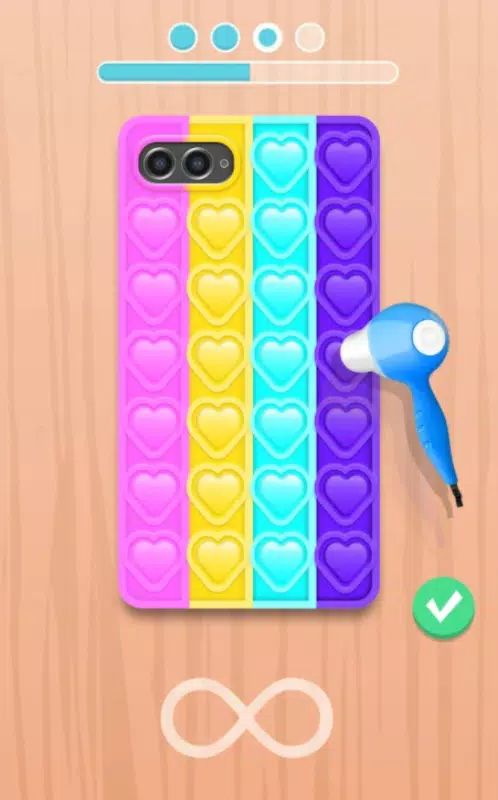
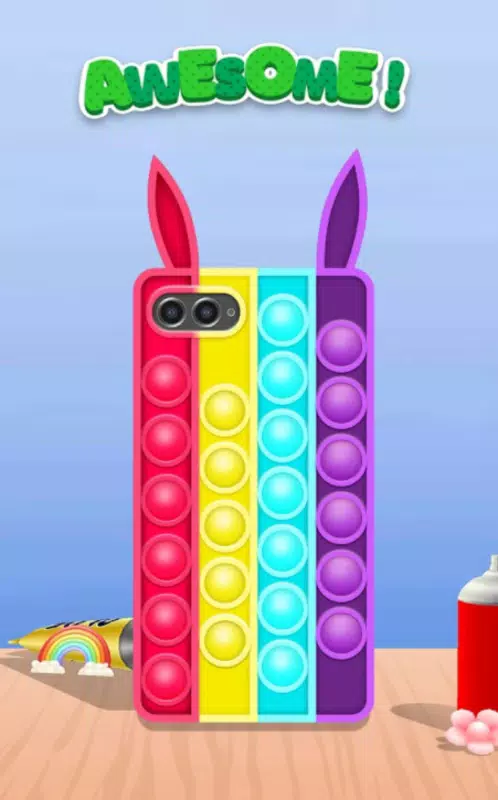
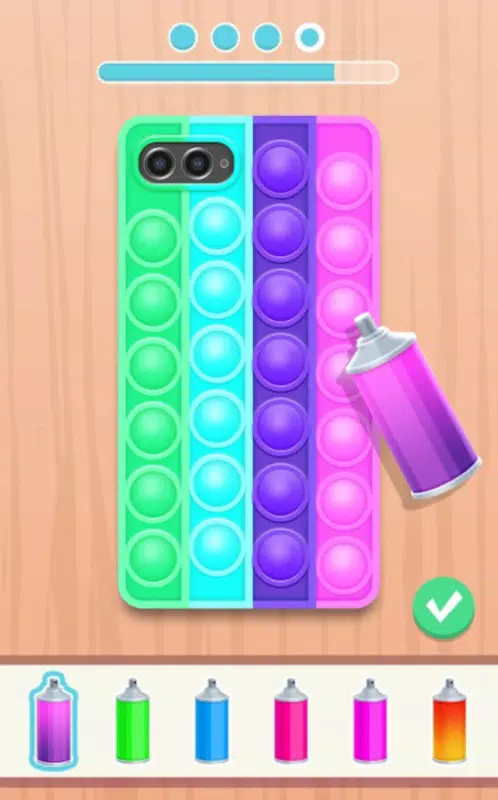
Phone Case DIY delivers a structured yet flexible creative workflow, guiding users through the entire design process from concept to completion. The app emphasizes hands-on interaction, allowing players to engage with tools such as glue sprayers, paintbrushes, and material placement systems to craft unique cases. Each level presents a specific customer request—such as a minimalist design, vibrant pattern, or themed artwork—requiring users to select appropriate materials and apply them with precision.
- User-Friendly Interface: The layout is clean and intuitive, enabling effortless navigation between tools, materials, and design previews. Drag-and-drop functionality simplifies the placement of elements, reducing friction for new users.
- Variety of Customization Options: Players can experiment with diverse materials like silicone, leather, and tempered glass, combined with an array of colors, textures, and patterns. Unlockable items in later levels expand creative possibilities.
- Engaging Gameplay Levels: Each level introduces new challenges, such as limited resources, time constraints, or specific design themes, encouraging strategic planning and skill development.
- Immersive Design Process: The step-by-step workflow—from sketching a concept to applying finishes—mimics real-world design workflows, offering a sense of accomplishment and artistic fulfillment.
- PC Compatibility via GameLoop: The app can be played on desktop computers using the GameLoop emulator, supporting keyboard and mouse controls for enhanced precision and comfort during extended sessions.
These features combine to create a fulfilling experience where users not only complete tasks but also develop their design intuition. The game’s structure ensures that both beginners and experienced players remain engaged through progressive difficulty and evolving creative freedom.
Interface, UX & Performance
The user interface of Phone Case DIY is designed with simplicity and clarity in mind, featuring a well-organized layout that prioritizes accessibility. The main screen displays tools, materials, and a preview window, allowing users to monitor their design in real time. Navigation is straightforward, with clearly labeled icons and a logical flow between stages: concept, material selection, application, and final review.
Visual style leans toward a cartoonish, vibrant aesthetic that enhances engagement without overwhelming the user. Colors are bold and distinct, and animations during material application provide visual feedback, reinforcing user actions. The app’s responsiveness is consistent across various screen sizes, though specific performance metrics were not provided. The developer did not list formal performance benchmarks, but the interface remains smooth during standard gameplay, suggesting efficient resource management.
Stability appears to be maintained through regular updates, although exact update frequency was not disclosed. Users can expect minimal crashes or freezes during normal use. The app’s design ensures that even users unfamiliar with digital crafting tools can quickly adapt, thanks to clear instructions and intuitive controls. Overall, the UX prioritizes ease of use and creative flow, minimizing distractions and supporting uninterrupted design sessions.
Platform Compatibility & Technical Requirements
Phone Case DIY is available on Android, offering compatibility with a wide range of mobile devices. The app’s file size is listed as 128 MB, indicating a lightweight footprint suitable for devices with moderate storage capacity. While the specific operating system version is not mentioned, the app is designed to function on modern Android devices. The developer did not specify minimum OS requirements or hardware specifications, so users are advised to ensure their device meets general Android standards for app installation.
Additionally, the app supports PC play through the GameLoop emulator, allowing users to install and run the game on desktop systems. This cross-platform availability enhances accessibility, particularly for users who prefer larger screens and more precise input methods. The emulator is noted for seamless integration, with no reported installation issues. However, compatibility with specific PC configurations was not detailed in the provided data.
Pros and Cons
- Intuitive interface ideal for casual and creative users
- Engaging level progression with increasing design complexity
- Wide range of customization tools and materials
- PC compatibility via GameLoop emulator for enhanced gameplay
- Low file size, suitable for devices with limited storage
- Specific OS version requirements were not disclosed
- Performance on older devices was not verified
- No in-app purchase details were provided
- GameLoop dependency required for PC play
- Developer did not provide information on update frequency
FAQ
Is Phone Case DIY available on iOS?
The developer did not specify iOS compatibility. The app is confirmed for Android and PC via GameLoop.
Can I play Phone Case DIY on my PC?
Yes, the game can be played on desktop computers using the GameLoop emulator, which supports keyboard and mouse controls.
Is Phone Case DIY free to download?
The provided information does not specify pricing. Users should check the app store for current pricing and in-app purchase details.
How often are updates released for Phone Case DIY?
The developer did not disclose update frequency. Users are encouraged to check the app store for the latest version.
Is the GameLoop emulator safe to use?
GameLoop is a third-party emulator used by many developers to enable PC play. While the app itself is secure, users should download the emulator from official sources to ensure safety.
Final Thoughts
Phone Case DIY offers a refreshing take on mobile gaming by merging creativity with structured gameplay. Its accessible interface, rich customization options, and engaging level design make it a standout choice for users who enjoy design-based activities. The ability to play on PC via GameLoop adds significant value, broadening its appeal beyond mobile users. Whether you're a hobbyist exploring digital crafting or a casual gamer seeking a relaxing experience, this app delivers both fun and creative fulfillment.
With its lightweight size, intuitive controls, and focus on personal expression, Phone Case DIY stands out as a practical and enjoyable tool for smartphone enthusiasts and designers alike. The game’s emphasis on resource management and artistic freedom ensures sustained engagement across multiple play sessions.
Download Phone Case DIY now


